Tools I Recommend to Make Digital Life Easier (Part 2)
In a previous Blog post for the MAWB Network, I started a discussion about the tools I recommend to make digital life easier for business owners. As an Online Operational Analyst who focuses on efficiencies in operations, business processes, and systems, I come across all sorts of tools and applications that are meant to help make your professional life easier. Some are fantastic! Others, well, not so much. These tools can be divided into two broad categories:
-
Critical tools that help business owners to efficiently manage their business, and
-
Critical tools that help business owners and managers effectively manage their Team and their interactions with clients.
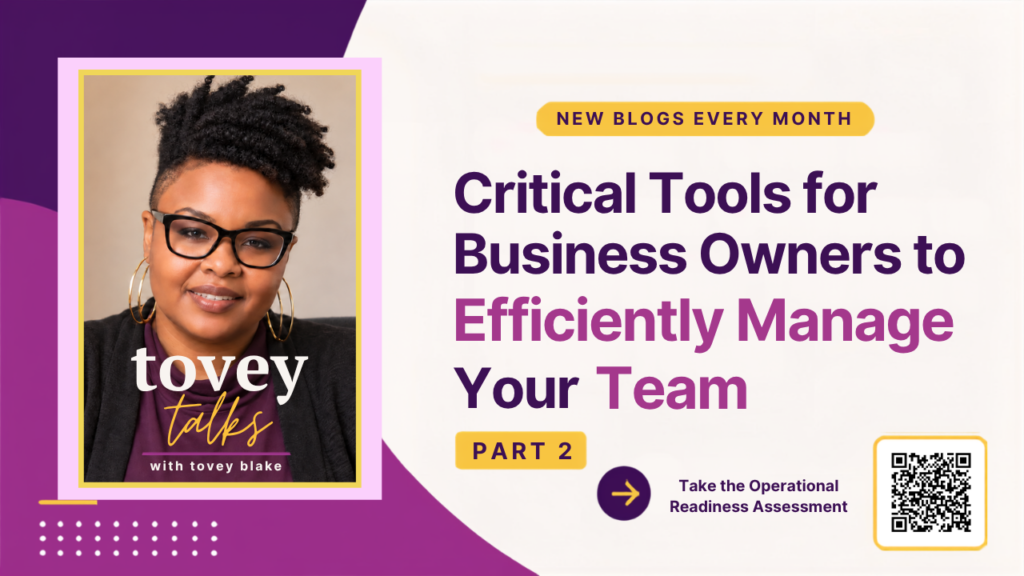
This blog, Critical Tools for Business Owners To Efficiently Manage Your Team, is the second of a two-part series. These are just some of the digital tools I use every day in my business and also to help my clients run their businesses more efficiently. They are tried, tested, and highly rated by me.
In this blog, I will tell you about three categories of digital tools that make it easier for business owners and managers to manage both their teams and their teams’ interactions with clients. These categories are:
Notetaker applications: Notetakers are applications that automatically digitally transcribe verbal conversations for future reference. They are usually saved to cloud-based storage and are integrated with other applications, like Zoom, Google Suite, etc.
-
Task Management applications: Task Management tools produce real-time data that can be analyzed by end users to streamline and improve their procedures. They’re used to manage and organize workloads, increase efficiencies and production, and improve the quality of work.
-
Instant Communications: Instant communications tools allow teams to interact in real-time with managers, teammates, and customers, no matter their geographic location.
Notetakers
Fathom

Fathom records, transcribes, highlights, and summarizes your meetings so you can focus on the conversation. It is integrated with Zoom, Microsoft Teams, and Google Meet for recording. Set up is fast and easy, and it’s free to install and use. Features of Fathom include one-click summaries of portions of your calls, instant access to fully transcribed call recordings, compatibility with Google Suite and many other task manager apps, and you can use clips of your calls to create a playlist of highlights. Fathom recordings are private and secure, and can only be viewed by those you choose to share with.
Fathom is integrated with Slack, Salesforce, HubSpot, Close, Notion, Google Docs and Gmail, Asana, and Todoist, which means it really can be used by almost anyone with almost any other productivity applications.
Fireflies.ai

Fireflies.ai helps your team transcribe, summarize, search, and analyze voice conversations. You can invite Fireflies.ai Notetaker to your meetings directly in your calendar, and it will automatically record and transcribe your meeting. It is integrated with 10 different meeting apps, including Google Meet, Zoom, Teams, and Webex. Fireflies.ai also uses an AI-powered search function, allowing you to summarize meetings, see action items, tasks, and questions with one click, and filter topics and discussions. I love the fact that you can set up a Sunday summary of all your meetings for the coming week, so you can prioritize them, decide which ones you want to record, and turn off the ones you no longer want. I also love the feature that allows you to upload an audio or video file after the fact to generate a transcript.
In terms of integration, Fireflies has you covered. For video conferencing, business calendars, collaboration, CRM, storage, dialers, audio recording, project management, and notes, Fireflies is compatible with multiple applications in all of these categories, which means it will work with what you already use.
Fireflies has a tiered pricing structure, allowing you to choose the plan that is right for your business. There is a basic, limited free plan for small solopreneurs, all the way up to custom plans for large enterprises.
Task Management
Asana

Asana is one of the OG task management systems, and it’s ideal for someone who wants something simple and flexible, but still delivers results. It drives efficiencies across teams, allowing you to connect tasks, assignments, and deadlines, while providing easy to follow visual dashboards to follow workflow, quickly address issues, and streamline processes.
Asana is also integrated with a host of other business applications, from Google Suite, to Canva, to Adobe, to Microsoft Office, and many, many, more. If you use it, chances are Asana integrates with it. Asana also has a stepped pricing structure for different business needs, from a free, basic program for individuals and teams just getting started, to a full Business plan for larger companies who need to manage initiatives across multiple departments.
ClickUp

ClickUp bills itself as “One app to replace them all.” I’m not going to say that’s true, but I will say that they offer too many different features and functions to count, and probably more than any one business will ever need. For productivity and tracking they offer dashboards, whiteboards, task lists, chat, goal setting, and document creation and management. They offer solutions based on company type, department, or usage. They have a library of templates for multiple uses and situations, or you can create your own. Plus they offer tutorials, demos and courses on how to use their applications, and you can easily import your work from other application platforms.
ClickUp, like many other apps, offers a tiered pricing system, based on your business needs, from a free, personal use level, up to a custom-created, custom-priced Enterprise level for large teams, with three other price points in between to meet any business’s needs.
Instant Communications
Slack

When it comes to instant communication, Slack offers a great set of integrations. Slack makes access to your collaborators easy, whether it’s your teammates, someone else within your organization, or your clients or customers. It’s faster, easier and more secure than email. Slack has an app directory featuring over 2600 tools it is integrated with. If you use an app, Slack can connect with it.
Slack features different channels for different projects, messaging, audio and video calling, recording and sharing information, a workflow builder, file sharing, and so much more. Slack offers a free basic platform, but with one of the paid plans you have access to more features and more capacity. Slack is such a flexible platform, that it can be used to build service offerings, such as VA On Demand.
Signal

Signal is primarily a smartphone messaging app developed with privacy at its core. It’s free and easy to use, and is more secure than WhatsApp. (It also has a desktop version that functions much like Facebook Messenger.) You can send texts, voice messages, photos, videos, GIFs, and files. It uses your phone’s data connection so you avoid SMS and MMS fees. Group calls are supported for up to 40 people. Like some other social media platforms, you can share Stories that disappear after 24 hours, and your privacy settings give you control over who can see your Story.
An interesting thing about Signal is it is an independent, not-for-profit organization, and is supported 100% by donations, not by advertisers or investors. Signal was developed with privacy in mind, which means they can’t read your messages or listen to your calls. There is no data collection. So if privacy is important to you and your business, signal is for you, especially if you do a lot of business while on the go.
When it comes to running your business efficiently, access to knowledge and tools that help make your life easier is essential. Especially when they’re easy to learn how to use. If you’re interested in learning more about any of these specific applications, but are pressed for time, I would love to schedule a coffee date or call to share more about them.
Have any of these applications piqued your interest? Do you want to learn more about any one in particular? I hope you all have something useful to take away with you from this blog post. Remember, “Work Smarter, Not Harder” is a popular saying for a reason!